Jasa Install Hackintosh / Mac

1.Perakitan Unit Hackintosh, Fix Problem Hackintosh, Install Hackintosh di PC Desktop / Notebook sepanjang hardware di support
2. Install Ulang iMac, Macbook, MacbookPro, iMacPro, MacPro series
3. Anda berdomisili di luar daerah Bandung / Cimahi / Bandung Barat??? Instalasi Hackintosh tetap bisa dilakukan dari awal via REMOTE with Any Desk (disarankan untuk yang memiliki koneksi memadai kisaran 5Mb/s ke atas) detail prosedur silahkan klik "DISINI" atau tombol di bawah
4. Untuk yang tak mau remote dan berdomisili di luar daerah Bandung / Cimahi / Bandung Barat bisa mengirimkan Unit via Jasa pengiriman (MEX, JNE atau TIKI).

Untuk yang berminat silahkan klik Icon di bawah                      

Deskripsi Pesan Flashdisk Installer Online  

Pesan Online Flashdisk Instalasi Hackintosh / Mac

Untuk Hackintosher yang tidak mau berpusing ria dalam urusan download dan membuat USB Installer untuk Hackintosh / Mac bisa melakukan pembelian online USB Installer Hackintosh ke saya. Sebelum melakukan pembelian harap terlebih dahulu memahami atau melalukan check detail terhadap spesifikasi dari perangkat PC Notebook / PC Desktop / Mac yang sedang digunakan. Info ini akan sangat berarti dalam proses konfigurasi USB Installer, khusus untuk Mac cukup memberikan info produk dengan tujuan mengetahui batasan OS X yang disupport. Untuk info lebih lengkap dan lain lain silahkan klik icon di bawah. 100% dijamin USB Installer yang dipesan akan bisa masuk GUI Installer untuk melakukan proses penginstallan.                       

Deskripsi Pesan Flashdisk Installer Online

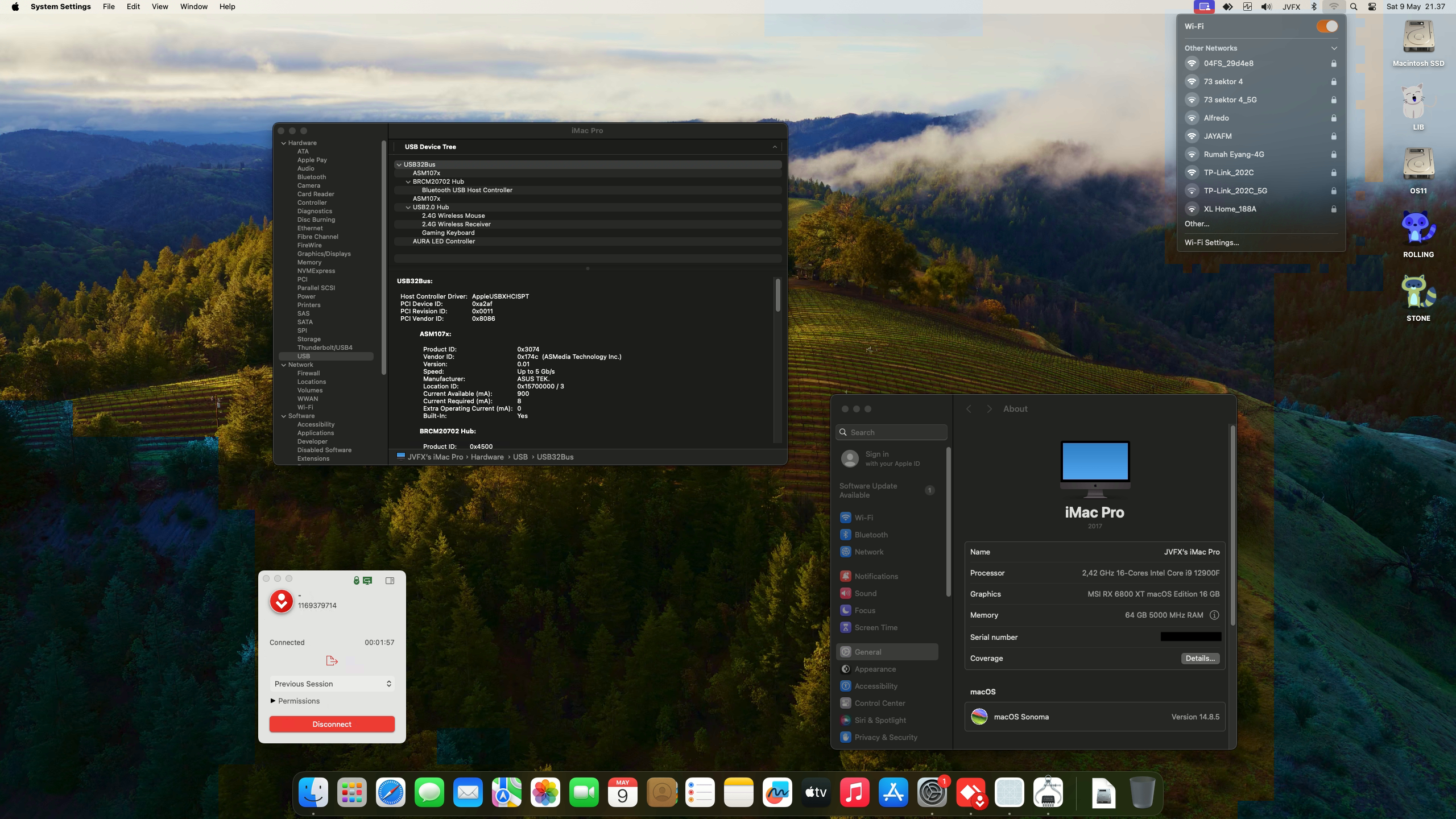
Success Hackintosh macOS Sonoma 14.8.5 Build 23J423 on Asus TUF Gaming B760M-Plus Wifi II + Intel Core i9 12900F + MSI RX 6800 XT
Featured

Success Hackintosh macOS Sonoma 14.8.5 Build 23J423 on Asus TUF Gaming B760M-Plus Wifi II + Intel Core i9 12900F + MSI RX 6800 XT

Introduction

Building a modern, high-performance Hackintosh workstation requires choosing hardware that offers both raw processing power and seamless compatibility with macOS. In this guide, we detail a successful installation of macOS Sonoma 14.8.5 Build 23J423 on a powerful desktop rig featuring the Asus TUF Gaming B760M-Plus Wifi II motherboard, Intel Core i9 12900F CPU, and MSI RX 6800 XT graphics card.

Hardware Specifications

Here is the detailed hardware layout for this build:

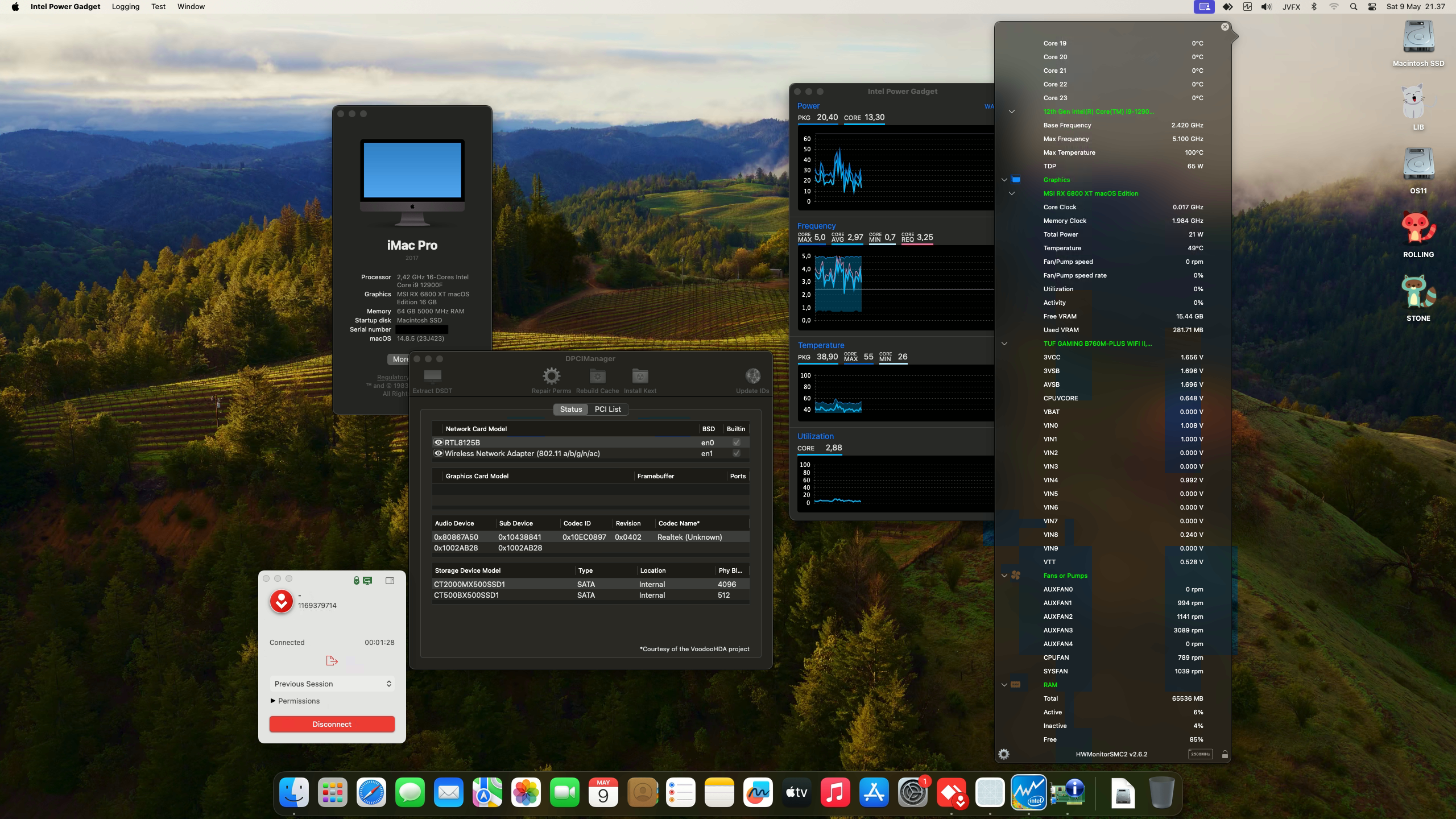
  • Motherboard: Asus TUF Gaming B760M-Plus Wifi II
  • Processor: Intel Core i9 12900F
  • iGPU: None
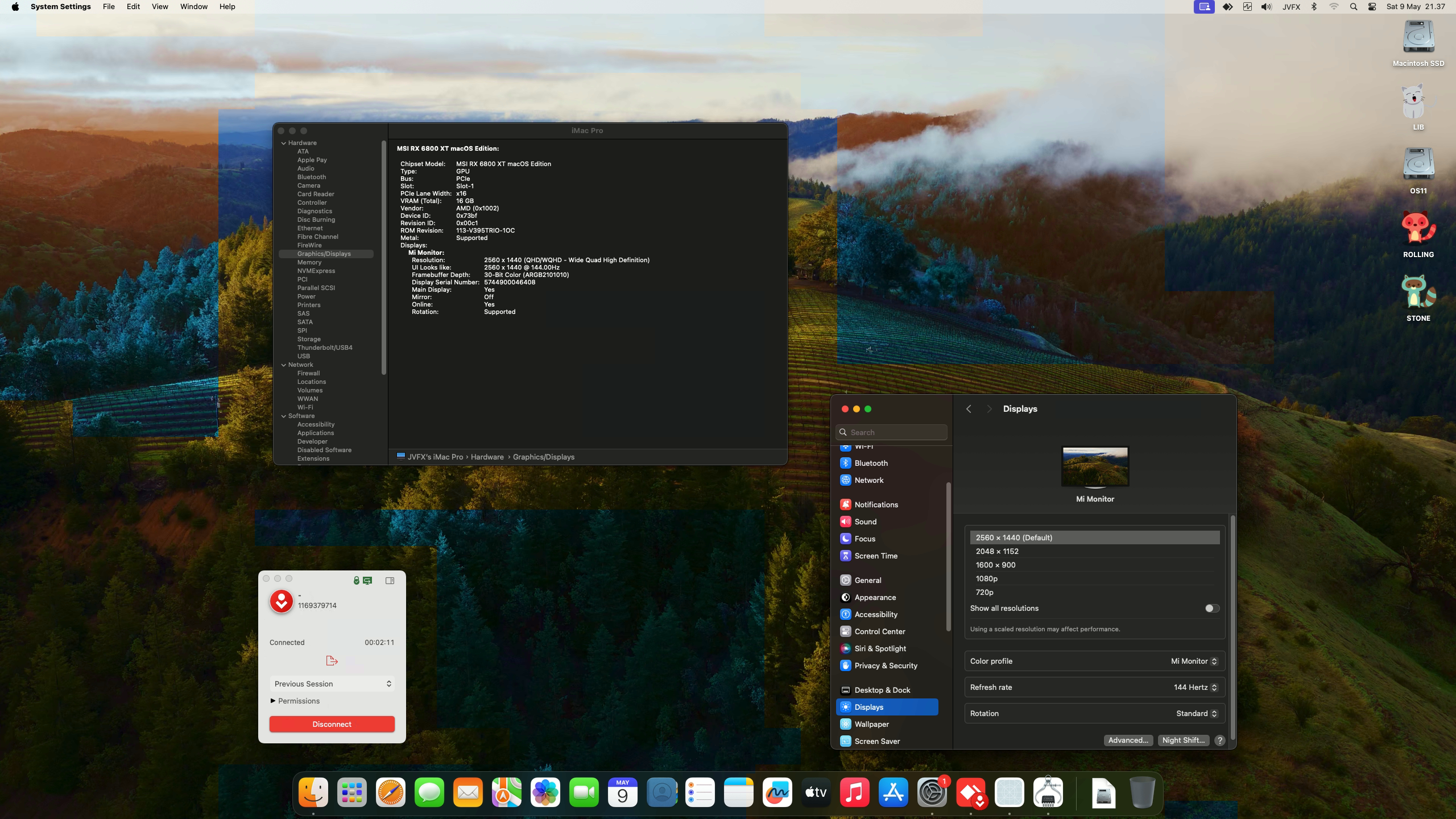
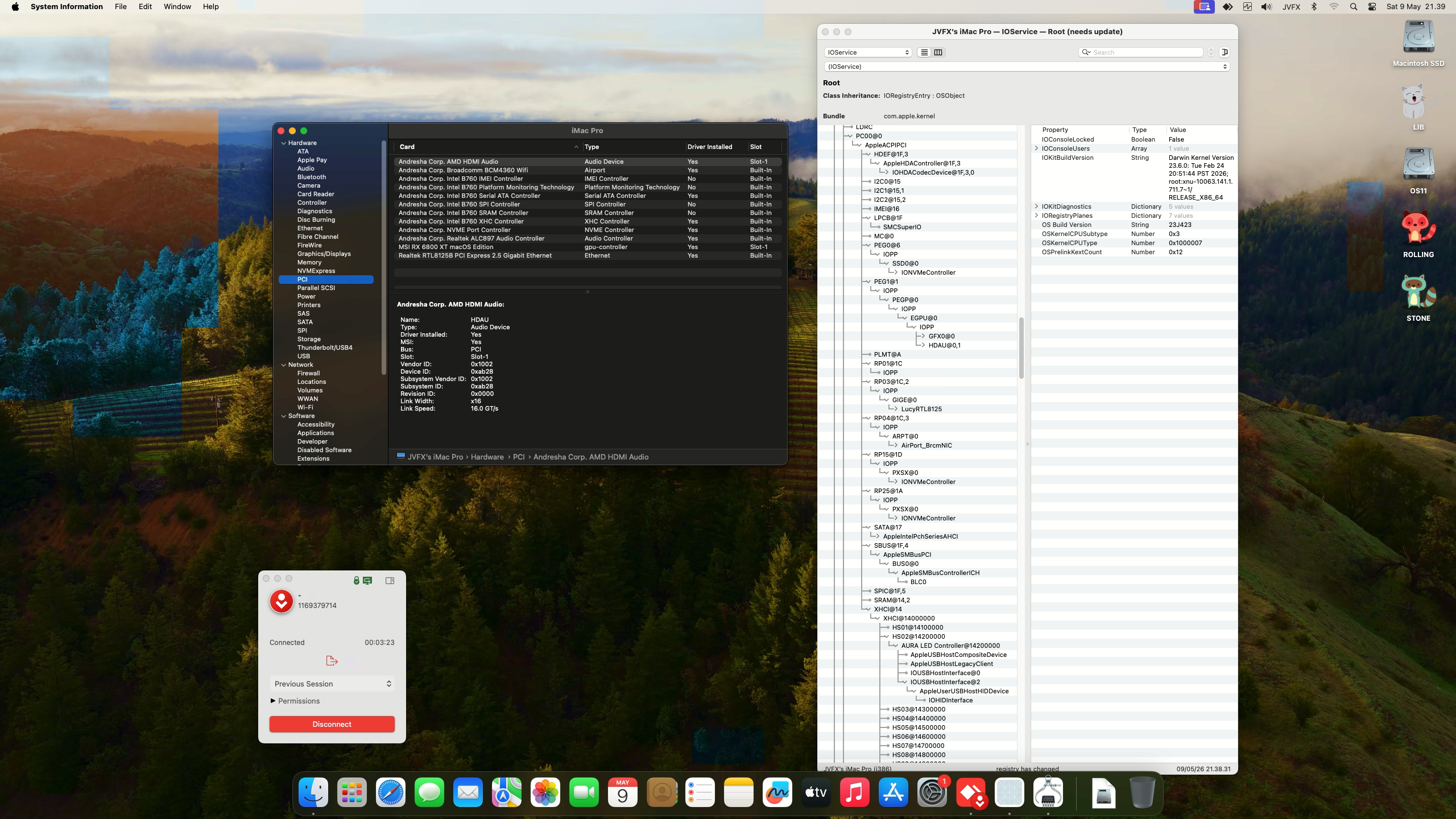
  • eGPU: MSI Radeon RX 6800 XT 16GB
  • RAM: 64GB DDR4 PC40000 / 5000MHz
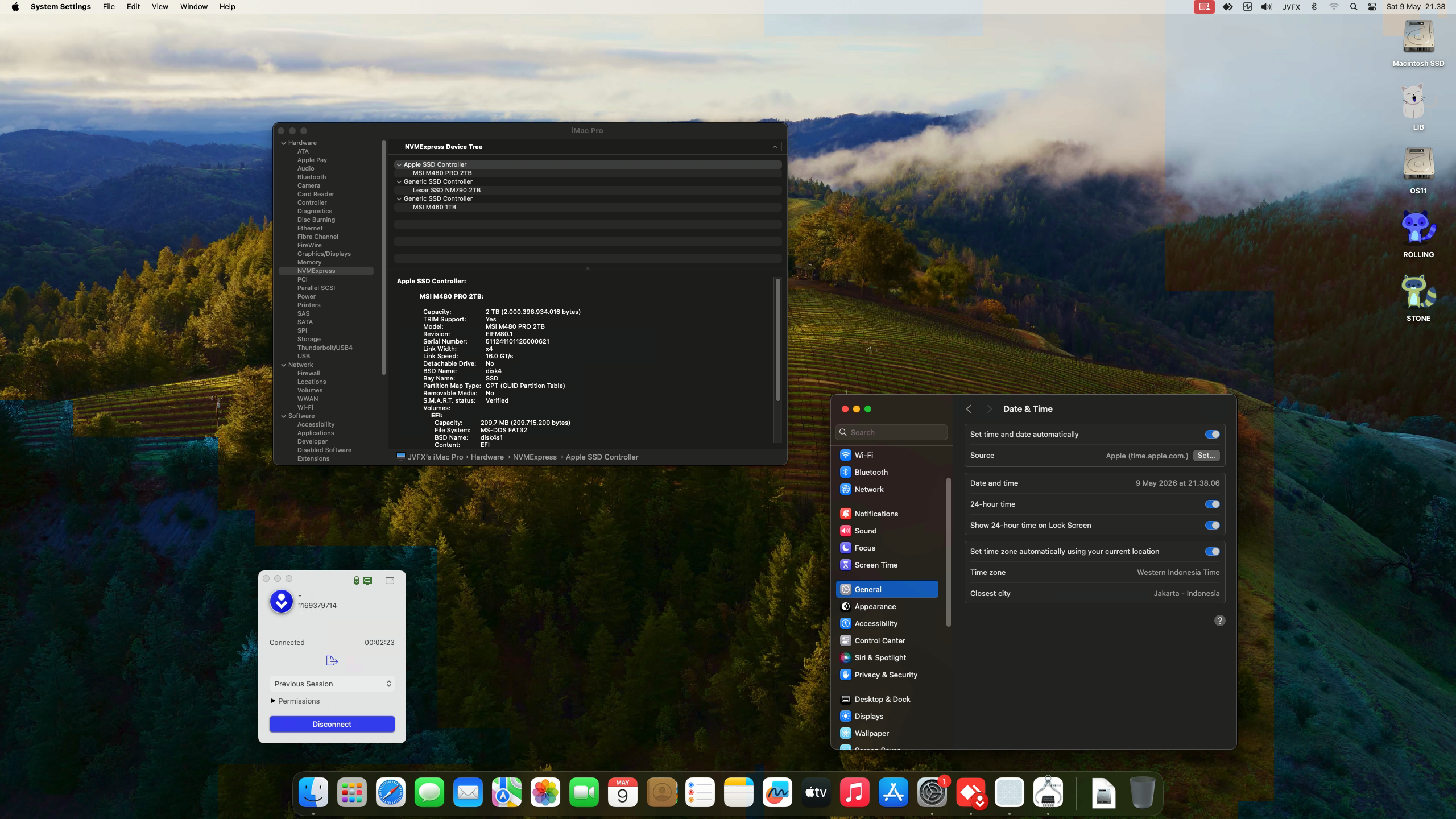
  • Storage: 2x SSD Crucial BX500 500GB + 1x NVMe MSI Spatium M480 2TB + 1x NVMe Lexar 2TB + 1x NVMe MSI Spatium M460 1TB
  • Ethernet: Realtek RTL8125 2.5Gb Ethernet
  • Wi-Fi & Bluetooth: Broadcom BCM4360 Card
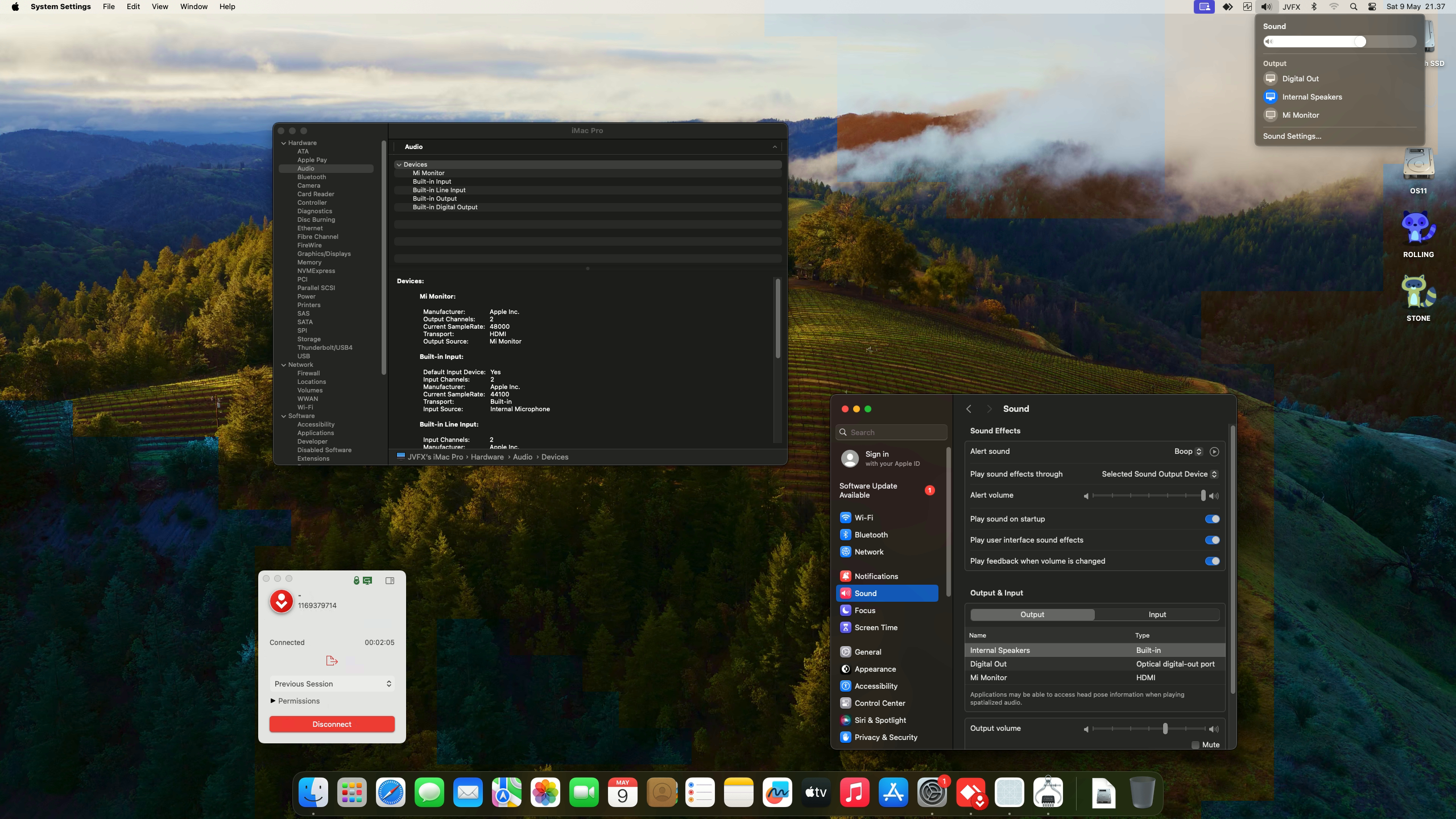
  • Audio Codec: Realtek ALC897
  • Display: Mi Monitor Display 27" @ 2560 x 1440
  • Boot Mode: UEFI
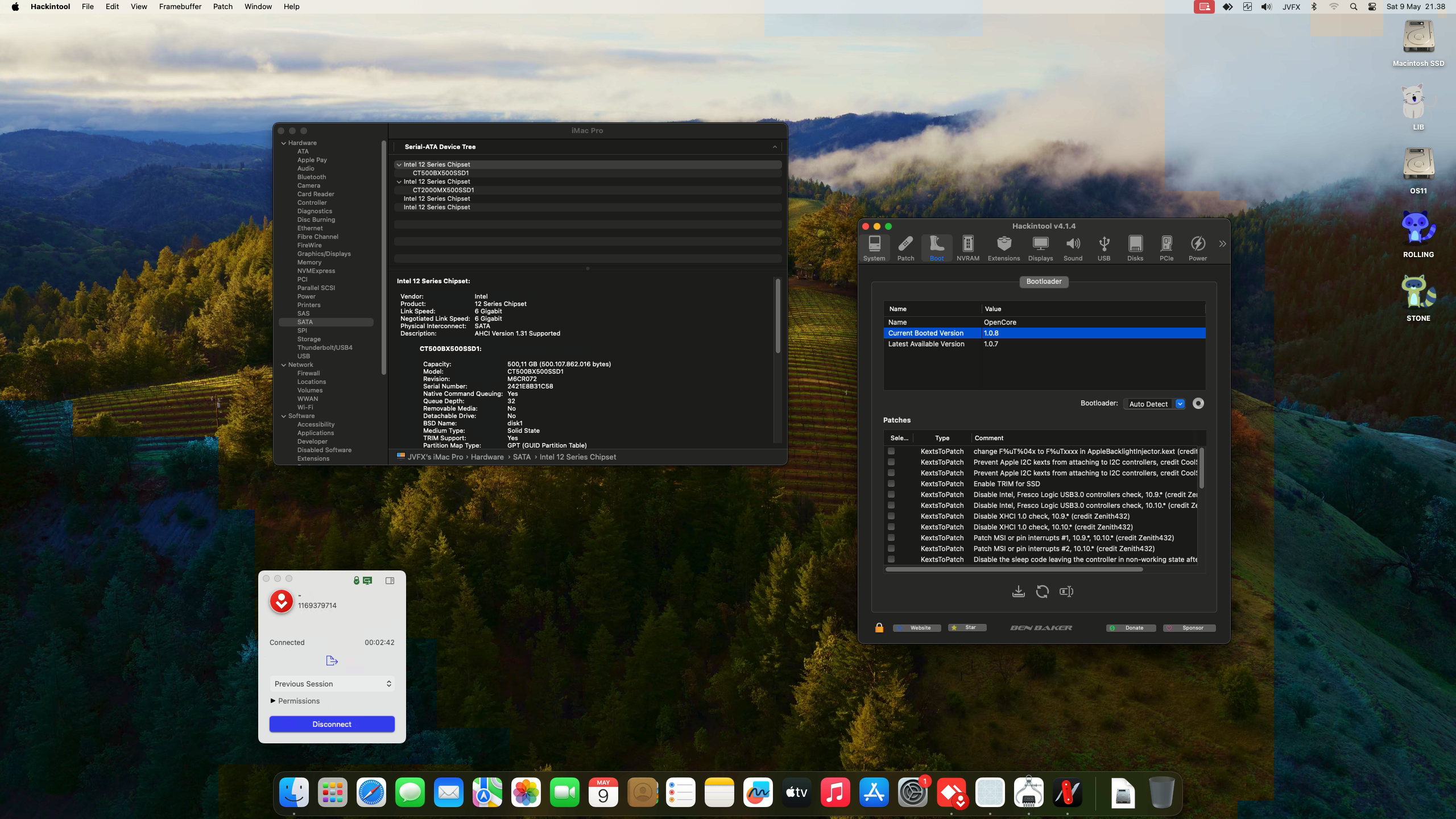
  • Bootloader: OpenCore r1.0.8
  • OS Version: macOS Sonoma 14.8.5 (Build 23J423)

System Configuration & OpenCore Setup

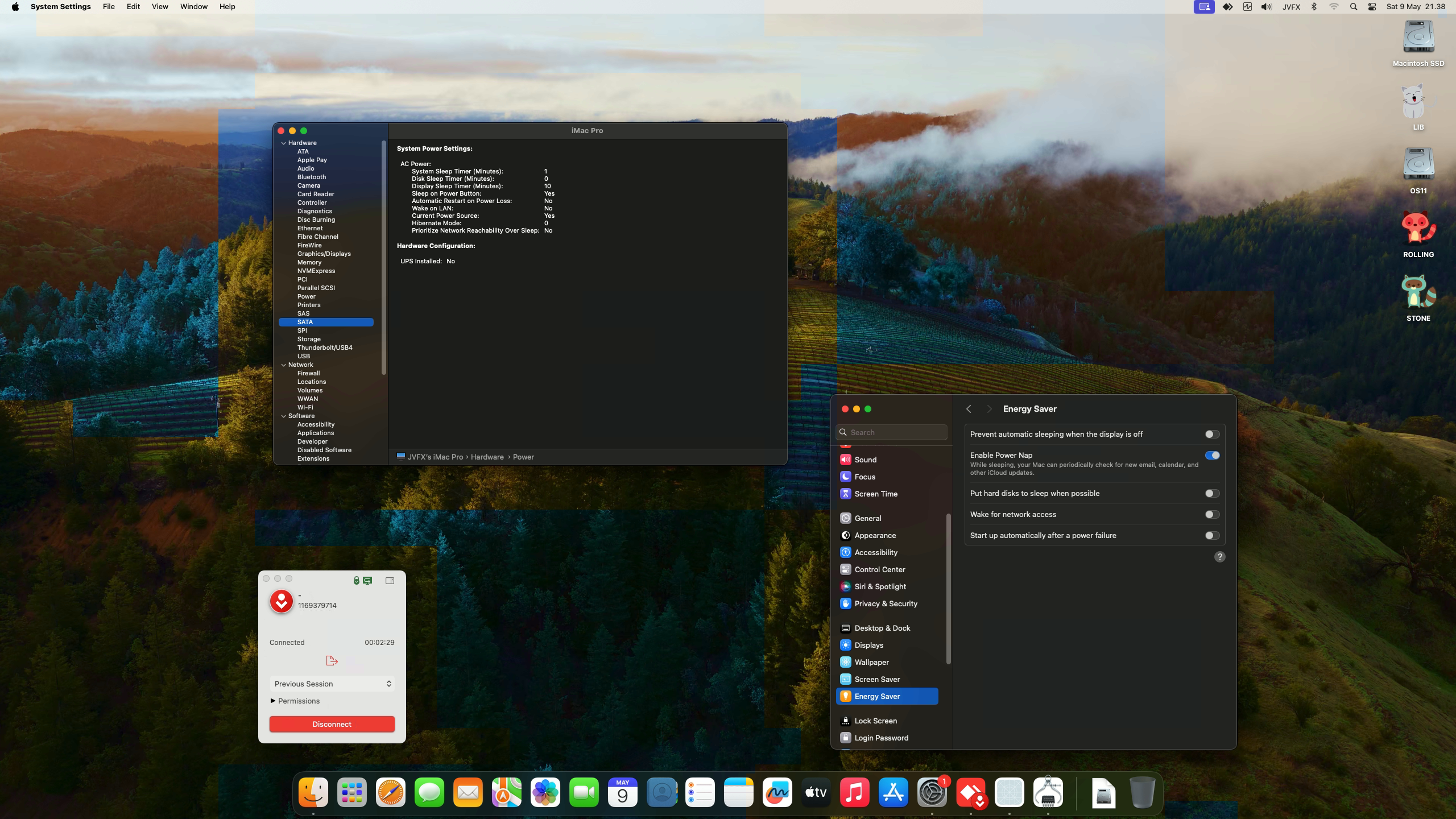
This build runs on OpenCore r1.0.8 configured specifically for Intel 12th Gen Alder Lake architecture. Since the Intel Core i9 12900F lacks integrated graphics, all display rendering and hardware acceleration are driven natively by the MSI RX 6800 XT GPU using the agdpmod=pikera boot argument for smooth multi-monitor display outputs.

For optimal CPU performance, kernel management patches were applied to handle the Performance and Efficient core topology properly. Network connectivity operates via LucyRTL8125Ethernet.kext for 2.5Gb LAN, while native Broadcom patching enables full Wi-Fi and Bluetooth features on macOS Sonoma.

Status and Working Features

After rigorous testing, this system demonstrates complete stability across all daily tasks:

  • Graphics Acceleration (QE/CI): Fully working with full Metal hardware acceleration on MSI RX 6800 XT.
  • CPU Power Management: Native power states and low idle power consumption achieved.
  • System Controls: Sleep, Wake, Restart, and Shutdown function flawlessly.
  • Audio: Realtek ALC897 audio input/output working cleanly on both front and rear jacks via AppleALC.
  • Display Outputs: HDMI and DisplayPort output working perfectly at full 2560x1440 resolution with digital audio passthrough.
  • Networking: Realtek RTL8125 2.5Gb Ethernet and Broadcom BCM4360 Wi-Fi/Bluetooth are fully operational.
  • USB Ports: Full USB port mapping completed for the Intel chipset.

Conclusion

The combination of the Asus TUF Gaming B760M-Plus Wifi II, Intel Core i9 12900F, and MSI RX 6800 XT delivers an exceptional macOS Sonoma 14.8.5 Build 23J423 Hackintosh workstation, ideal for video editing, rendering, and heavy creative workloads.
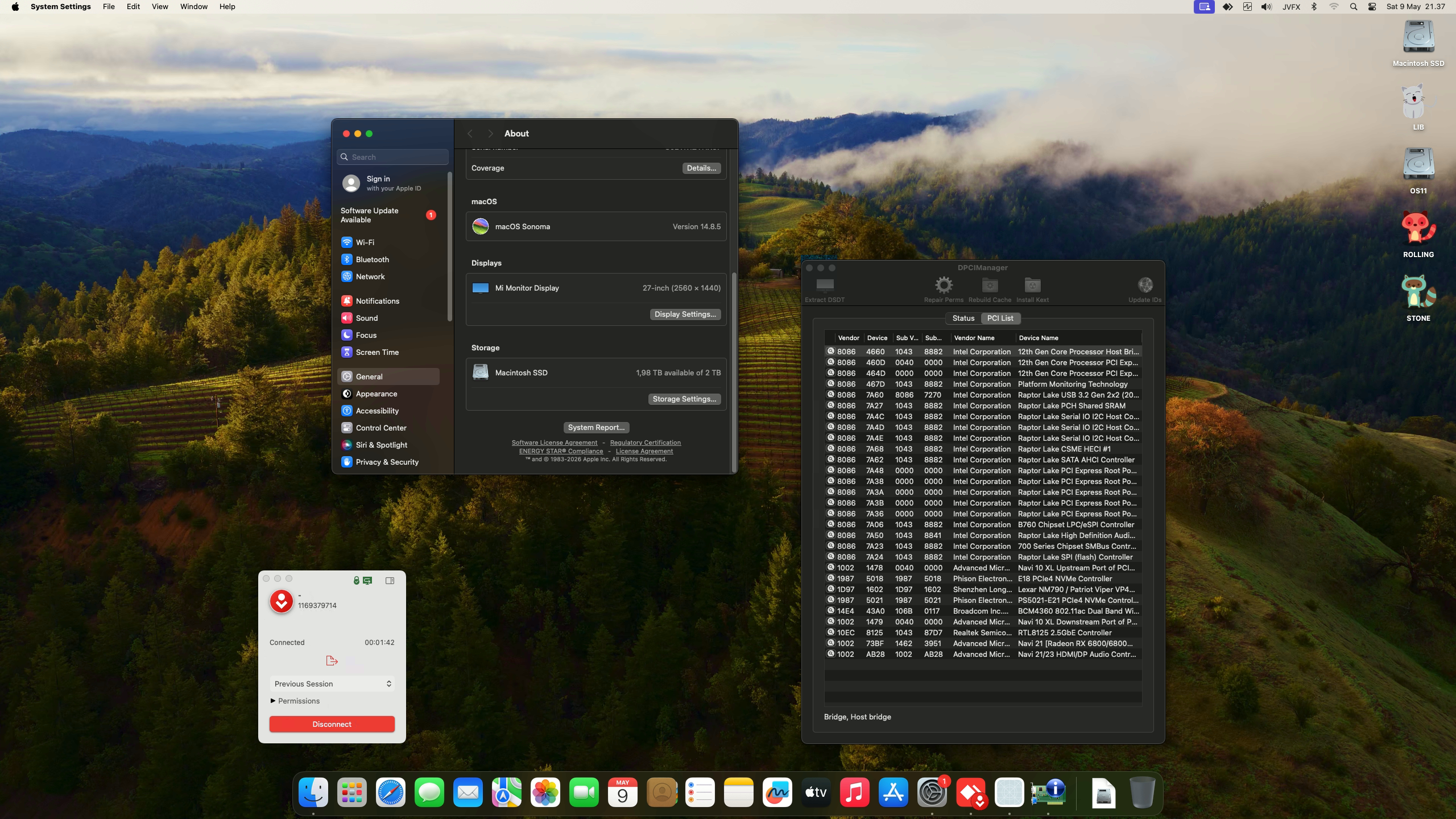
Asus TUF Gaming B760M Plus Wifi II + Intel Core i9 12900F + MSI RX 6800 XT 2nd   OpenCore 1


Asus TUF Gaming B760M Plus Wifi II + Intel Core i9 12900F + MSI RX 6800 XT 2nd   OpenCore 2


Asus TUF Gaming B760M Plus Wifi II + Intel Core i9 12900F + MSI RX 6800 XT 2nd   OpenCore 3


Asus TUF Gaming B760M Plus Wifi II + Intel Core i9 12900F + MSI RX 6800 XT 2nd   OpenCore 4


Asus TUF Gaming B760M Plus Wifi II + Intel Core i9 12900F + MSI RX 6800 XT 2nd   OpenCore 5


Asus TUF Gaming B760M Plus Wifi II + Intel Core i9 12900F + MSI RX 6800 XT 2nd   OpenCore 6


Asus TUF Gaming B760M Plus Wifi II + Intel Core i9 12900F + MSI RX 6800 XT 2nd   OpenCore 7


Asus TUF Gaming B760M Plus Wifi II + Intel Core i9 12900F + MSI RX 6800 XT 2nd   OpenCore 8


Asus TUF Gaming B760M Plus Wifi II + Intel Core i9 12900F + MSI RX 6800 XT 2nd   OpenCore 9


Visitor Statistics

Today-
This Week (7 Days)-
This Month (30 Days)-
This Year (365 Days)-

Admin

Silahkan chat saya
Messenger Instagram Telegram WhatsApp